Deleting your data
How to remove your Super Bean Boy account and everything attached to it.
-
Do it yourself
Settings → Me → Account → Delete my account. It happens straight away and you do not have to ask anyone. The four steps are below.
-
Or ask us
Email support@beananza.games — useful if you have lost the phone you played on. We reply within one month.
Deleting it from inside the game
This is the whole route: five taps, in four steps. It works whether or not you ever connected Apple, Google or anything else to your game — if you never did, two of the buttons have different names, and both are given below (see if you never connected an account).
-
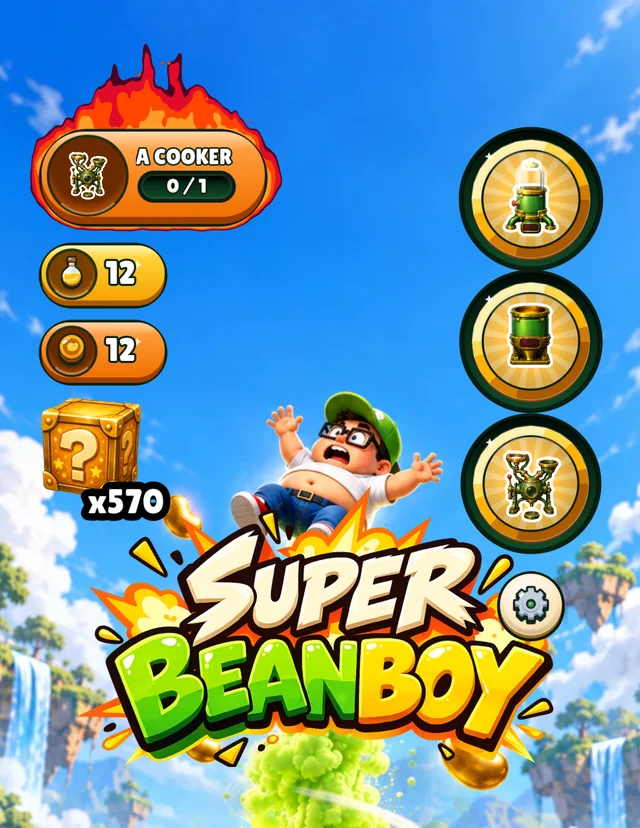
Open Settings
Tap the cog on the home screen. It is just to the right of the Super Bean Boy logo, under the three round machine doors.
-
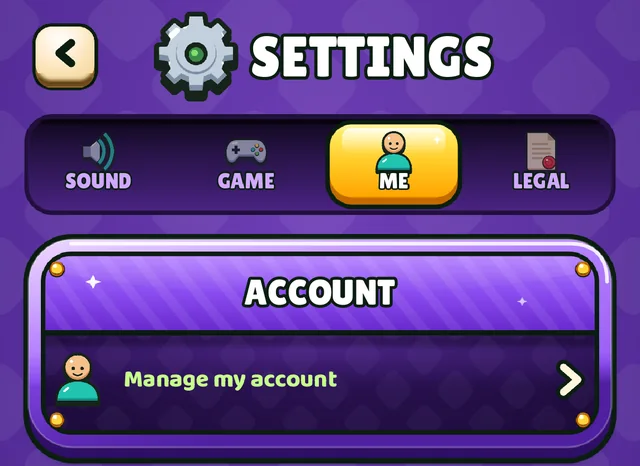
Tap Me, then Account
Settings opens on Sound. Tap Me, the third of the four tabs, and then the row in the Account card at the top of it. The row reads Manage my account, or Create an account if you never connected one.
-
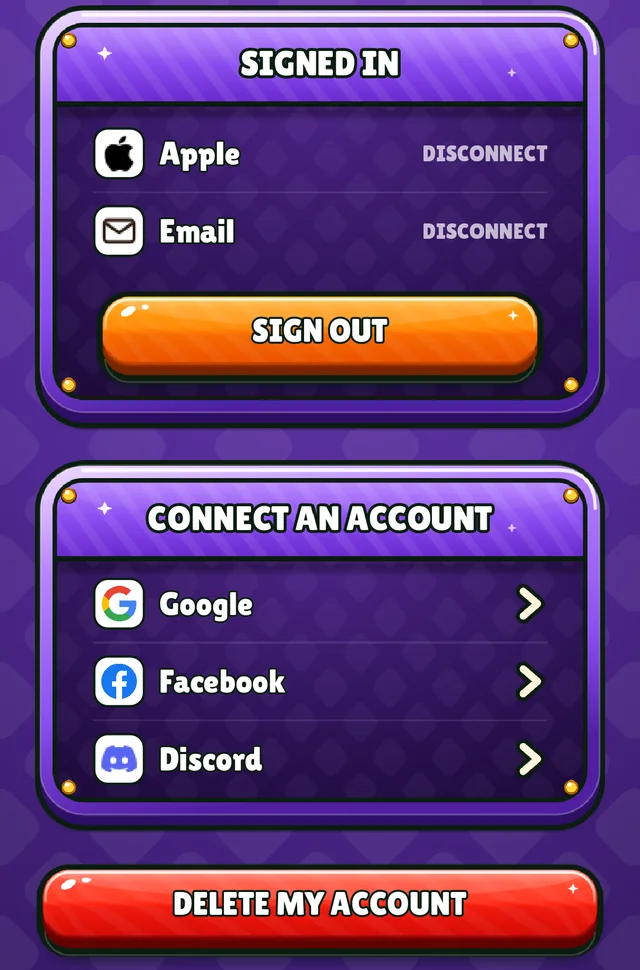
Tap Delete my account
Scroll to the bottom of the account page: it is the red button under everything else. If you never connected an account it reads Delete my progress, and it does the same thing.
It is not the orange Sign out further up. Signing out leaves the account where it is, so you can sign back in on another phone and get everything back.
-
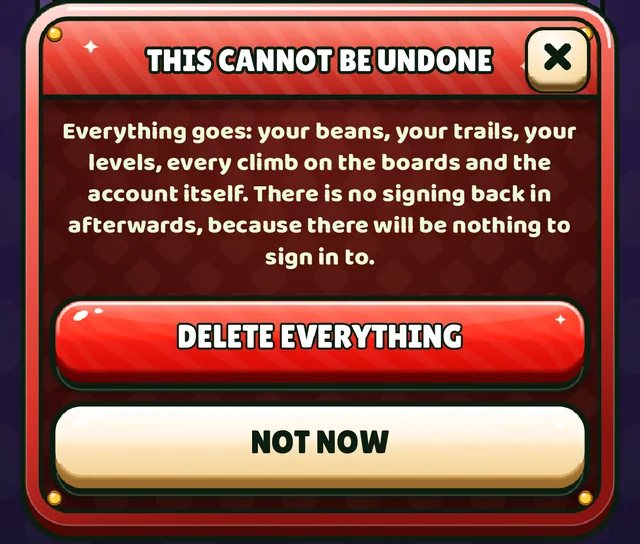
Confirm
A card asks once more, and Delete everything is the answer that goes through with it. Not now, the ✕, or a tap outside the card leaves the account untouched.
There is no undo. Once the card is answered the account is gone, and there is nothing left to sign back in to.
What goes, and what we have to keep
Deleting the account removes your progress, your beans, your trails and hats, your levels, every climb of yours on the leaderboards, and every way of signing in you had connected — Apple, Google, Facebook, Discord or your email address. The save on the phone is wiped at the same time, so the game starts again from nothing.
The one thing that does not go is the record of anything you paid for. UK tax law requires us to keep purchase records for six years and we cannot shorten it. What is left afterwards is a receipt with no player attached to it. The privacy policy is the document that settles all of this, and it is the one to read if you want the detail.
If you never connected an account
Super Bean Boy never asks you to sign in, and most people never connect anything. The game still gives you an account on our server the first time you play: it holds your player ID, your progress and your climbs on the leaderboards. It is deleted the same way, from the same button, which reads Delete my progress until something is connected. Deleting the app is not enough, because that only clears the phone.
Asking us instead
Email support@beananza.games with your player ID, the name the leaderboards show you under, which is at the top of Settings → Me → Account. Writing from the email address you signed in with, or telling us which sign-in you used, helps too. Without something to go on we genuinely cannot find you, which is the flip side of a game that never asks who you are.
We reply within one month, we do not charge for it, and we will not make the game worse for you for asking. The same address reaches us for a copy of what we hold, a correction, or anything else in the privacy policy. If a parent or guardian wants a child's data deleted, that address is the one.